Case Study - A Lightweight iOS Speedometer with Premium Features
A native iOS speedometer app built with SwiftUI featuring real-time GPS tracking, in-app purchases, and accessibility-first design.
- Client
- The Web People
- Year
- Service
- Mobile Development
Overview
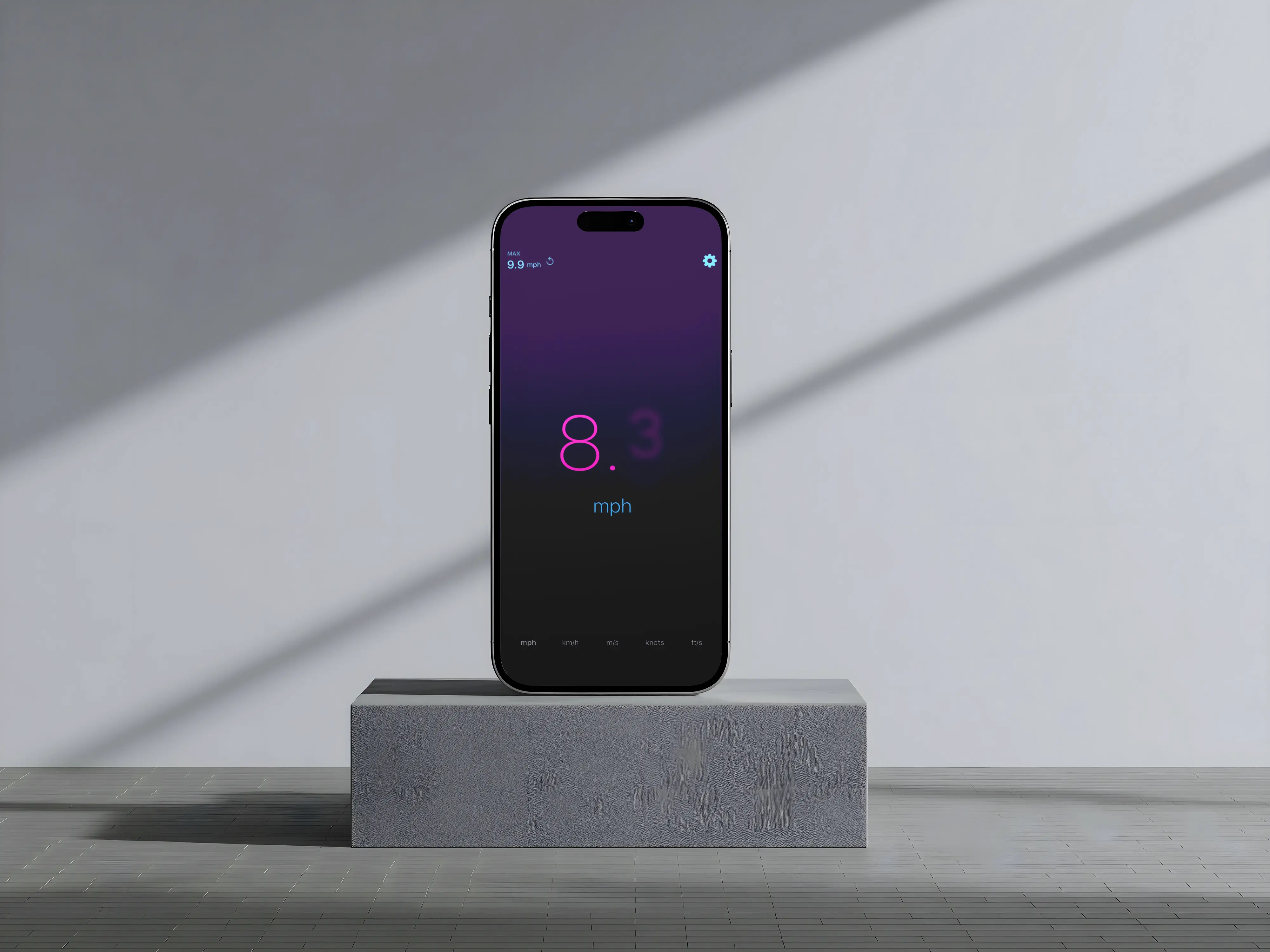
Speedometer is a native iOS application that provides real-time GPS speed readings with a focus on simplicity, privacy, and accessibility. The app was designed to do one thing exceptionally well: show your current speed in a clean, readable format.
In a market full of bloated speedometer apps with unnecessary features and intrusive ads, we wanted to create something different—a lightweight utility that respects user privacy and provides genuine value through thoughtful premium features.
Design Philosophy
Privacy First
Location data never leaves the device. We don't collect analytics, track users, or share any data. The app simply reads GPS speed and displays it—nothing more.
Accessibility First
VoiceOver support was built into the architecture from day one, not bolted on later. All speed units have descriptive accessibility labels, and the interface scales properly with Dynamic Type.
Performance First
At under 400KB compressed, the app installs almost instantly. No heavy frameworks, no unnecessary dependencies—just native Swift and SwiftUI doing what they do best.
Key Features
Free Features
Real-Time Speed Display
The main interface features a large, prominent speed reading using a 140pt thin-weight font. Numbers use monospaced digits for stable alignment as values change, with smooth animated transitions between updates.
Multiple Speed Units
Users can switch between five measurement units: MPH, KM/H, M/S, Knots, and Feet per Second. Preferences persist between sessions, and conversions happen in real-time as the unit is changed.
Smart Formatting
Speeds below 10 show one decimal place for precision (e.g., "5.2 mph"), while higher speeds display as whole numbers to reduce visual noise.
Premium Features
The freemium model offers genuine value for power users:
Speed Alerts
Set a configurable speed threshold and receive haptic feedback when exceeding it—perfect for staying within speed limits. A 2-second cooldown prevents alert spam during fluctuating speeds.
HUD Mode
Mirror the display for windshield reflection mounting, transforming the phone into a heads-up display.
Premium Colour Themes
Six carefully designed themes: Midnight (cool blues), Sunset (warm oranges), Ocean (cyan tones), Neon (electric green), and Retrowave (magenta with cyan accents), plus the default light theme.
Keep Screen On
Prevent display auto-dimming during use—essential for automotive applications.
Technical Implementation
Architecture
The app uses SwiftUI throughout with an MVVM architecture. Key services are implemented as ObservableObjects with published properties for reactive UI updates:
- LocationManager — Handles GPS authorisation and continuous location updates
- PurchaseManager — Manages StoreKit 2 transactions with async/await
- SpeedAlertManager — Coordinates threshold monitoring and haptic feedback
StoreKit 2 Integration
We implemented Apple's modern StoreKit 2 framework for in-app purchases:
- Async/await patterns for clean, readable purchase flows
- Cryptographic transaction verification for security
- Automatic entitlement checking on app launch
- Background transaction listening for restored purchases
The purchase is a one-time unlock, not a subscription—simpler for users and appropriate for this type of utility app.
GPS Configuration
CoreLocation is configured for automotive navigation with best accuracy settings. The app handles all authorisation states gracefully, providing clear messaging and direct links to Settings when permissions are denied.
Quality Assurance
The codebase includes comprehensive unit tests covering:
- Speed conversion accuracy for all five units
- Edge cases like zero speed and high-speed scenarios
- Real-world speed validation (walking, city driving, motorway)
- Formatting logic for decimal place handling
What we did
Mobile Development
- iOS
- SwiftUI
- StoreKit 2
- CoreLocation